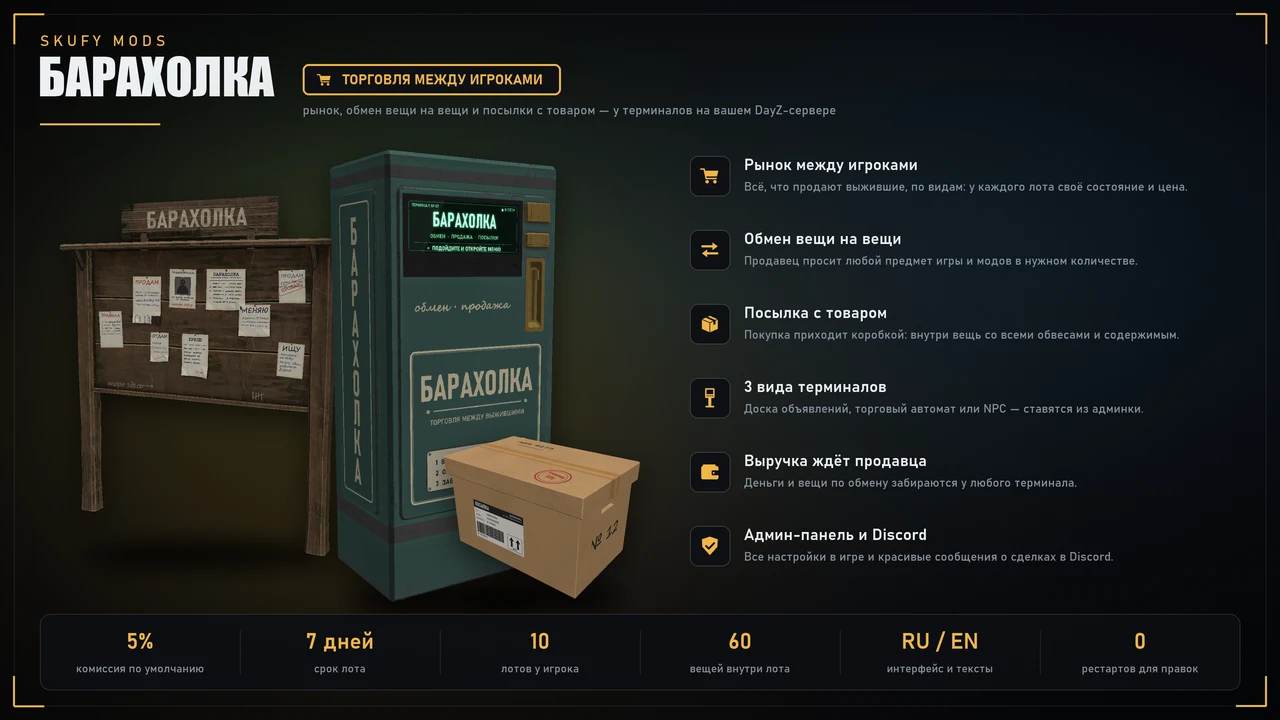
A flea market for your server: players list items at terminals and buy from each other for money or swap items. A purchase arrives in a parcel with the item inside, attachments and contents included. A notice board, a vending machine or an NPC, earnings at any terminal, top sellers, deal messages in Discord. Everything is set up in game, in the admin panel.
To download, you need to sign in with Steam and add a project (your server) in your account.
Gallery 10
Dependencies
(пусто — зависимостей нет; Skufy Trader необязателен — его деньги стоят валютой по умолчанию)
Description
Player to player trading. A market, item for item exchanges and parcels with the goods — at terminals on your server. Dark glass UI of the Skufy series, in Russian and English. Every deal and check runs on the server, everything is set up in game.
How it works
A player walks up to a terminal — a notice board, a vending machine or an NPC — and opens the flea market.
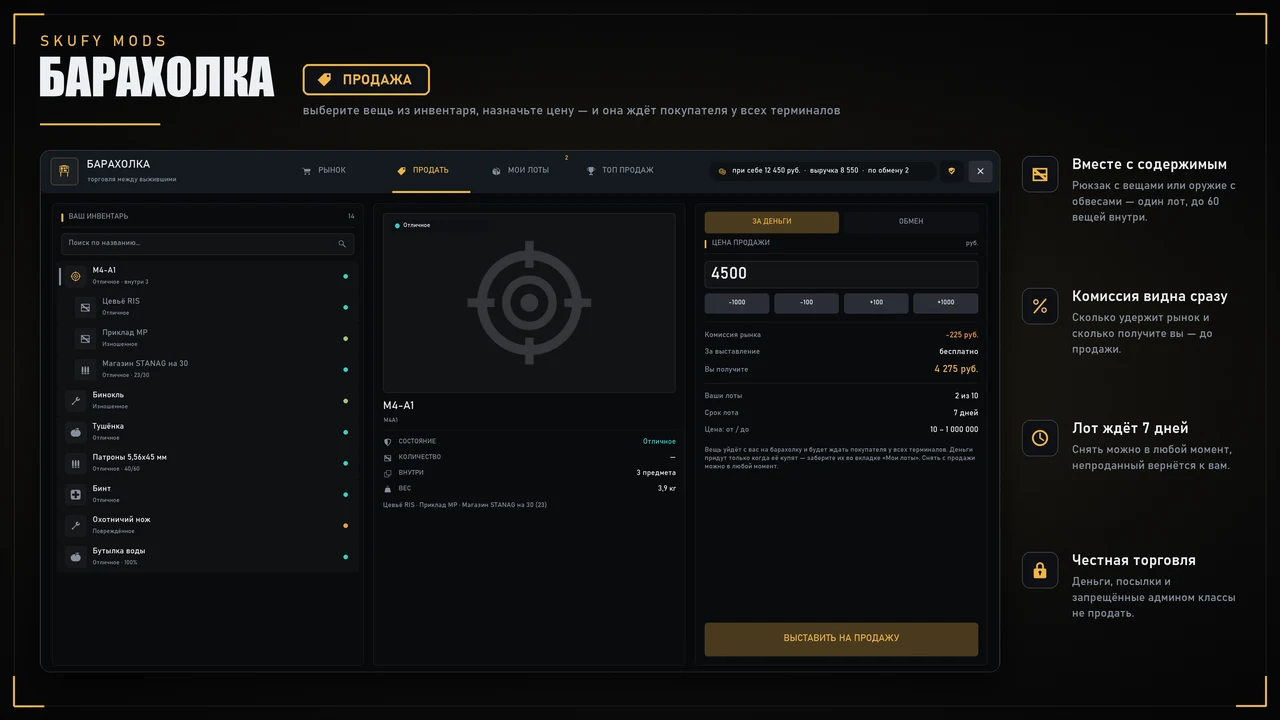
On the "Sell" tab they pick an item from the inventory and set a price or an exchange.
The item goes to the market and waits for a buyer at every terminal at once.
The buyer pays — the goods arrive in a parcel. The earnings wait for the seller at any terminal.
Market
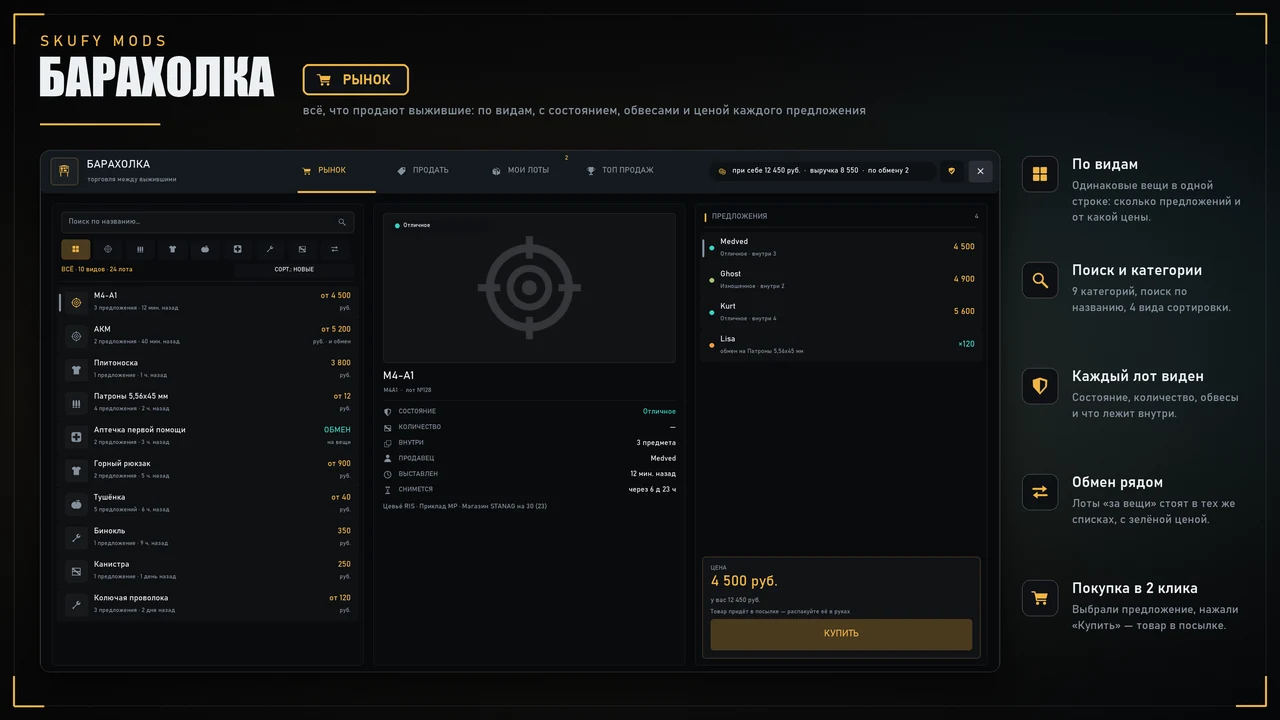
Goods are grouped by kind: each row shows how many offers there are and the lowest price
Every lot has its own condition, quantity and contents, with a 3D preview
9 categories, search by name, 4 sort modes
Buying in 2 clicks: pick an offer, press "Buy"
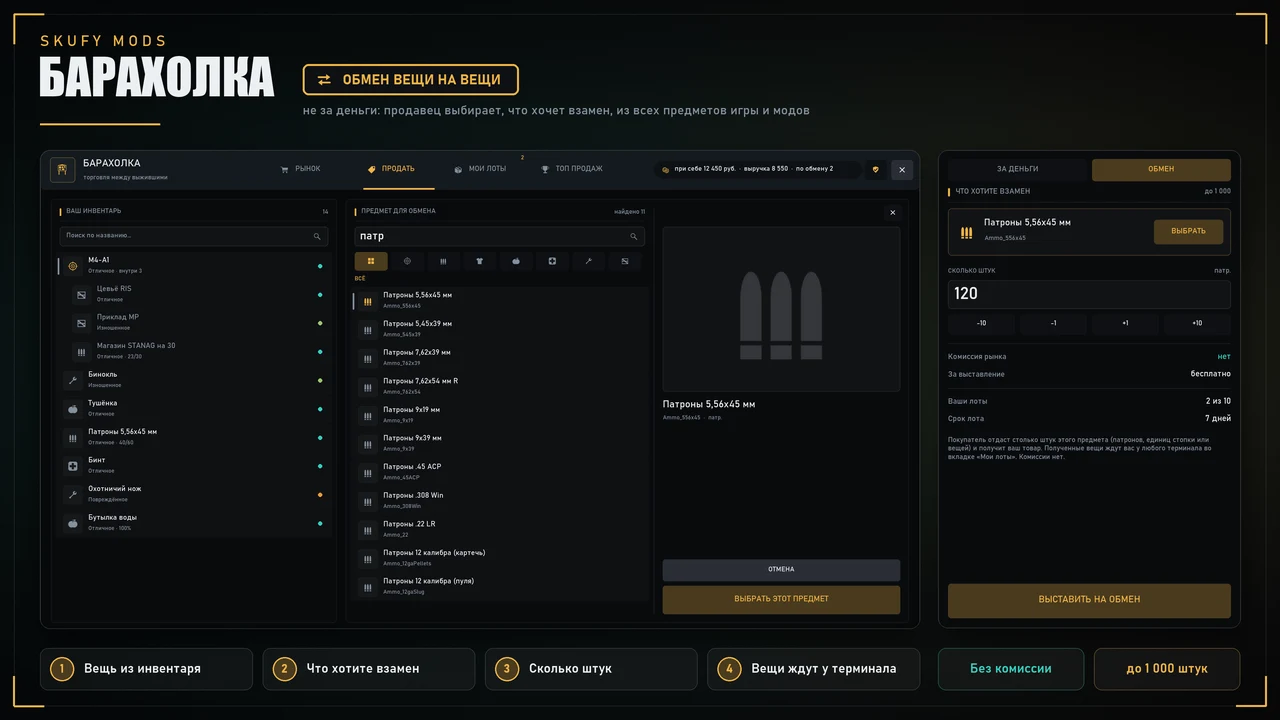
Item for item exchange
The seller picks what they want in return from every item of the game and the server's mods — with search, categories and a 3D preview
And how many: rounds, stack units or pieces (up to 1 000, configurable)
The buyer gives items from the inventory — worn clothes, ruined and locked items do not count
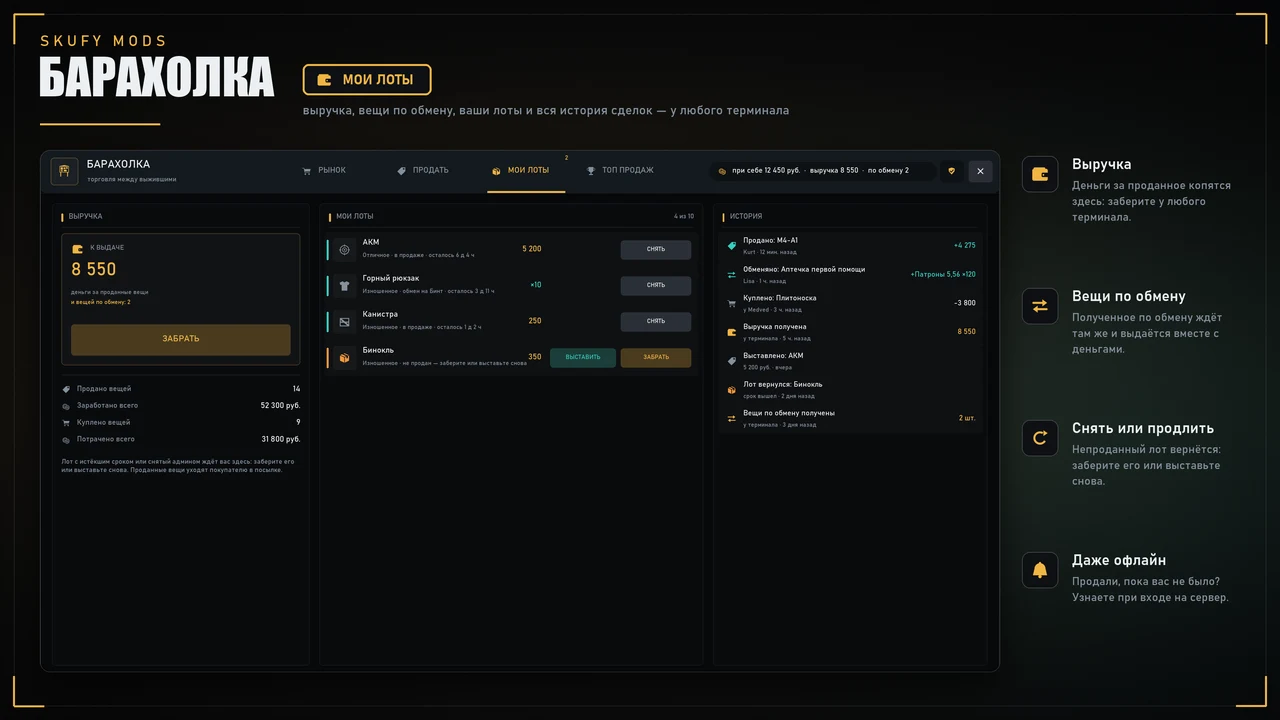
The received items wait for the seller at a terminal together with the earnings, no commission
Parcel
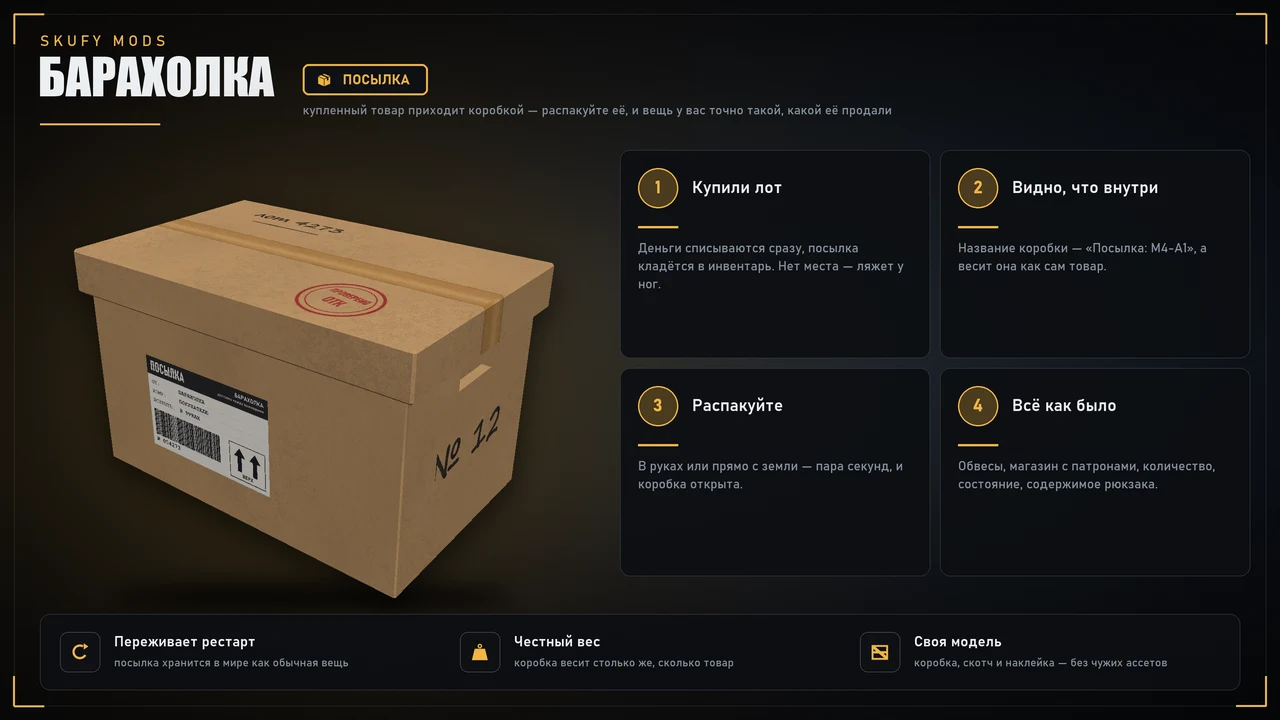
The goods arrive in a box "Parcel: M4-A1" — you see what is inside, and it weighs as much as the goods
Unpack it in hands or right on the ground; no room in the inventory — the parcel lands at your feet
Everything as it was: attachments, magazine with rounds, quantity, condition, backpack contents
The parcel is kept in the world like any item and survives restarts
For the seller
Items are sold with their contents: a backpack with items or a rifle with attachments is one lot, up to 60 items inside
The market commission and "you get" are shown before listing
A lot waits 7 days; an unsold one comes back — take it or list it again
The "My lots" tab: earnings, exchange items, your lots and the whole deal history
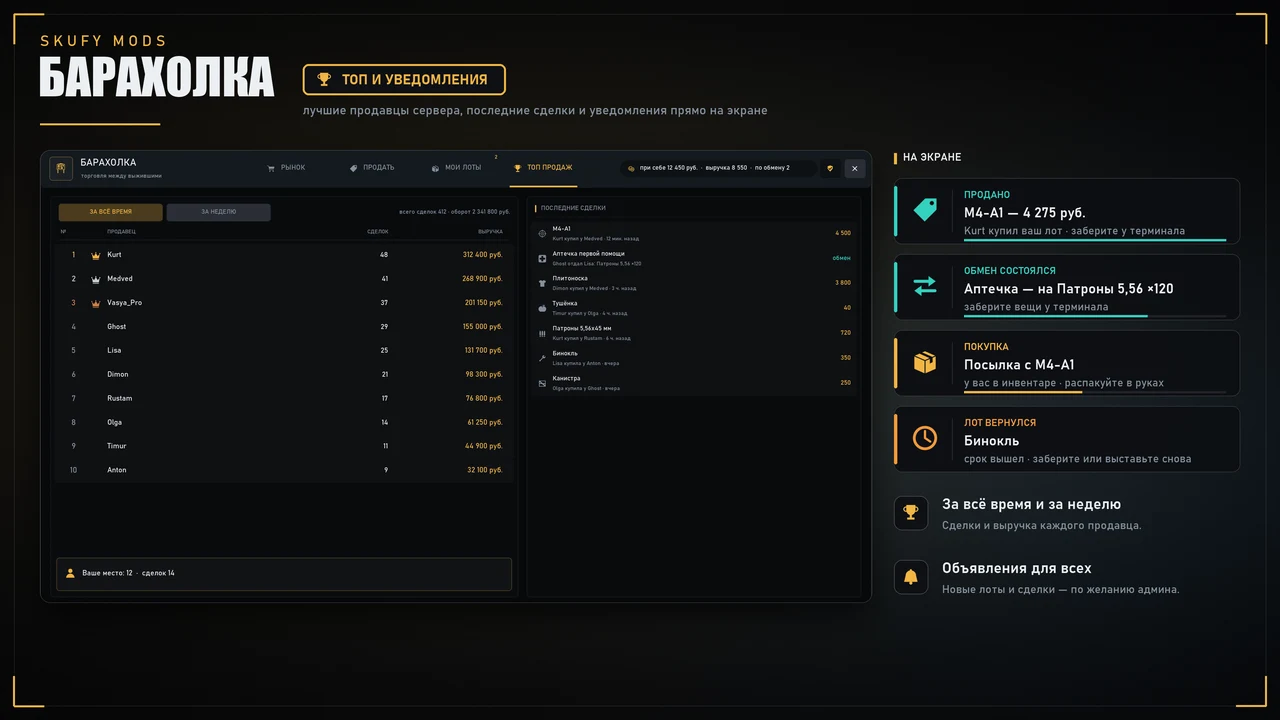
Sold something while you were away? You get a notice when you join
Top sellers of all time and of the week, the latest deals of the server
Terminals
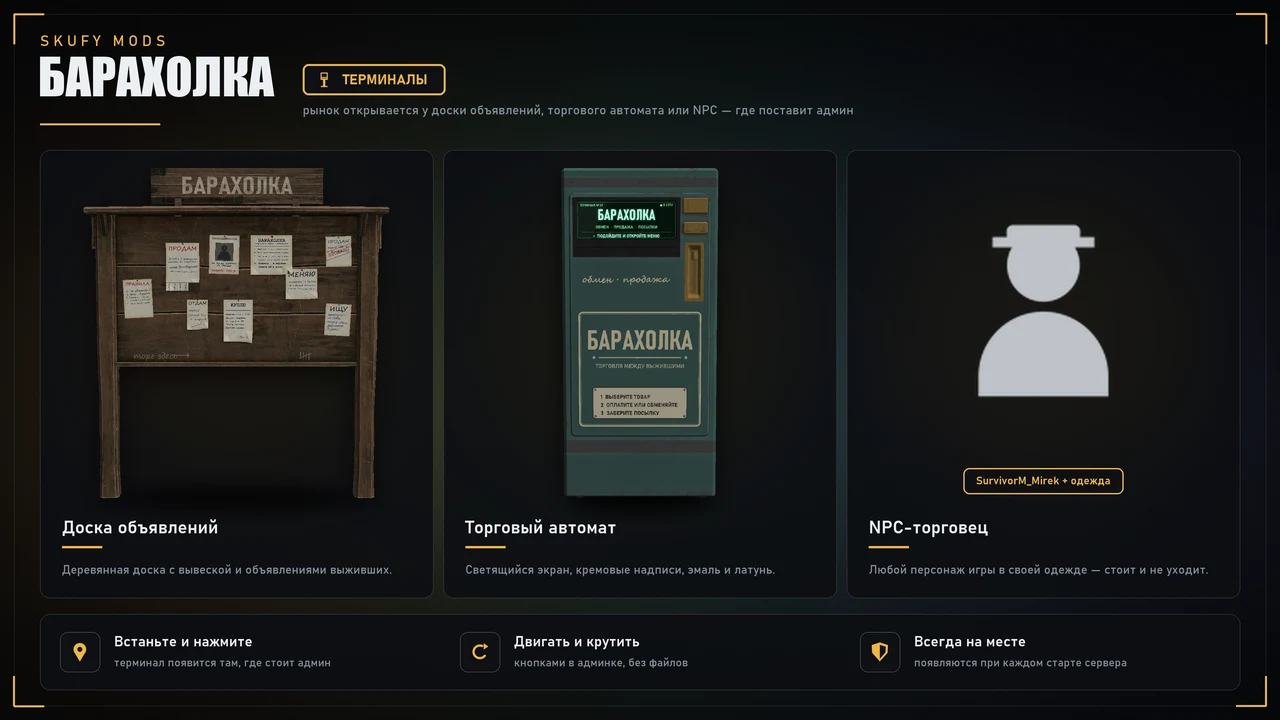
Notice board with a "БАРАХОЛКА" sign and survivors' notices
Vending machine with a glowing screen
NPC trader — 31 survivor models and any clothes
Placed from the admin panel where the admin stands, moved and rotated with buttons, respawned on every server start
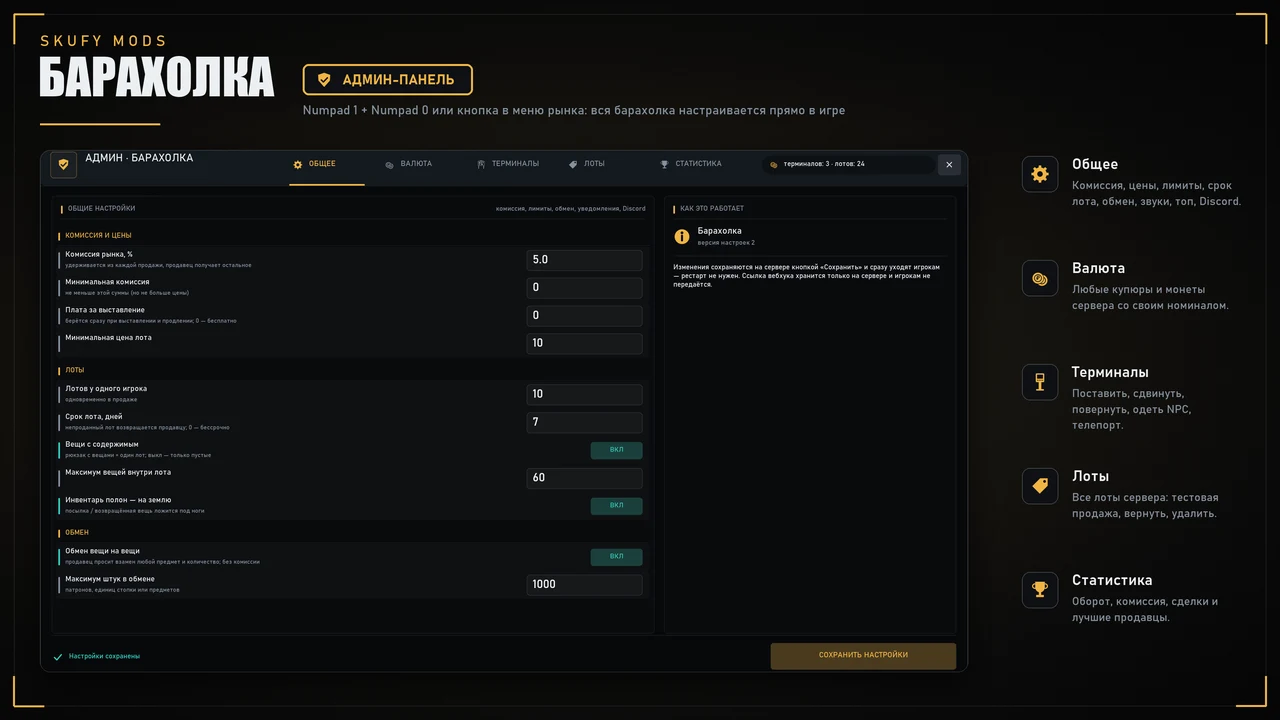
Admin panel — Numpad 1 + Numpad 0
General: commission, minimum commission, listing fee, price limits, lots per player, lot time, items with contents, exchange, announcements, sounds, top
Currency: any notes and coins of the server with their own value, and the currency name
Terminals: place, move, rotate, teleport, NPC model and clothes
Lots: every lot of the server with search — test sale, return to the seller, delete
Statistics: turnover, commission, deals and the best sellers
Blacklisted classes, money and parcels can never be listed
Changes apply at once, no server restart
Discord
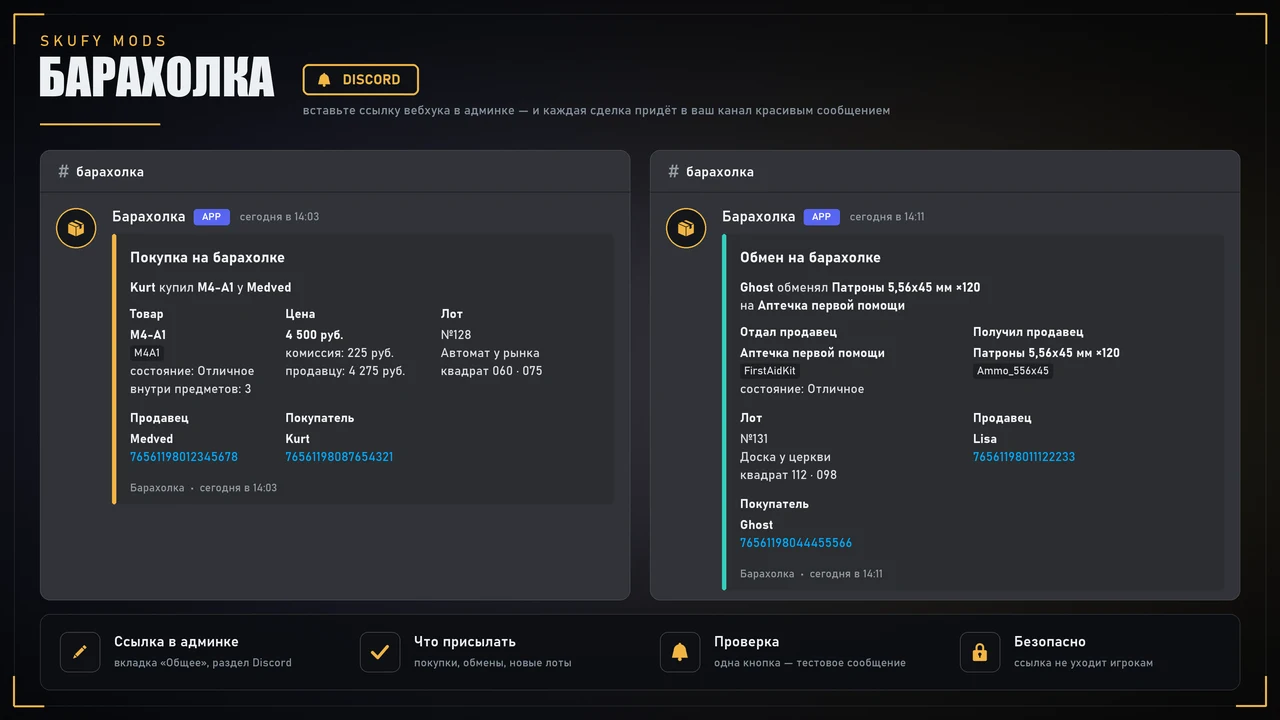
Paste a webhook link on the "General" tab — purchases, exchanges and new lots arrive in your channel as tidy messages: the item, price, commission, terminal and grid square, seller and buyer with Steam links
One button to test it; the link stays on the server and is never sent to players
Reviews 5 · 1
William Birkin
08.10.2026
Очень удобная система P2P.
Purchase FAQ
What does the purchase give access to?
The purchase is tied to your Steam account. Before buying, make sure you are signed in with the right account.
Where do I download the files after buying?
In your account, section “My mods”. The installation instructions and extra info are there too.
How do I top up my balance?
In your account click “Top up” — payment goes through YooMoney (bank card or wallet). The balance is credited automatically within a couple of minutes.
What does a subscription give?
Access to all mods of the bundle for the subscription period. Subscriptions never renew automatically — no hidden charges.
Where do I get support?
In our Discord — the link is at the bottom of the page.